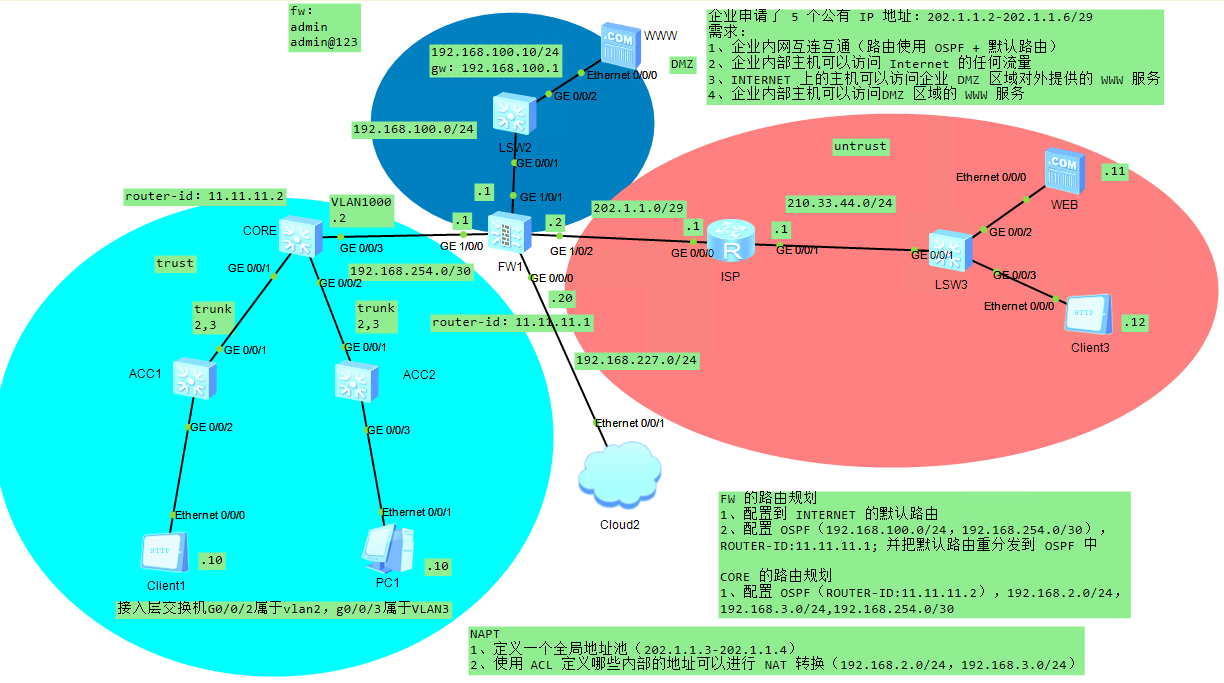
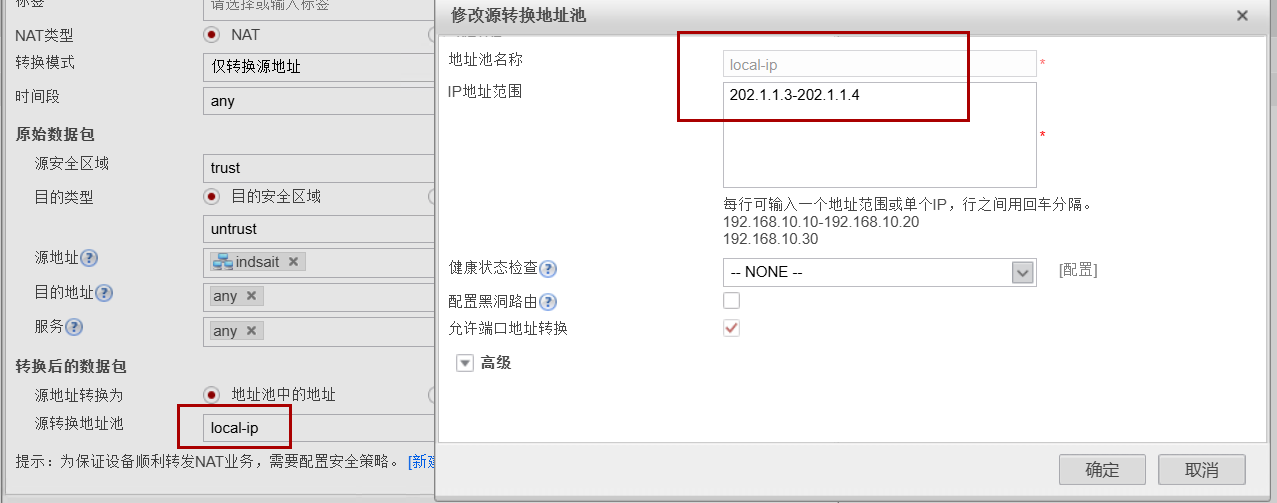
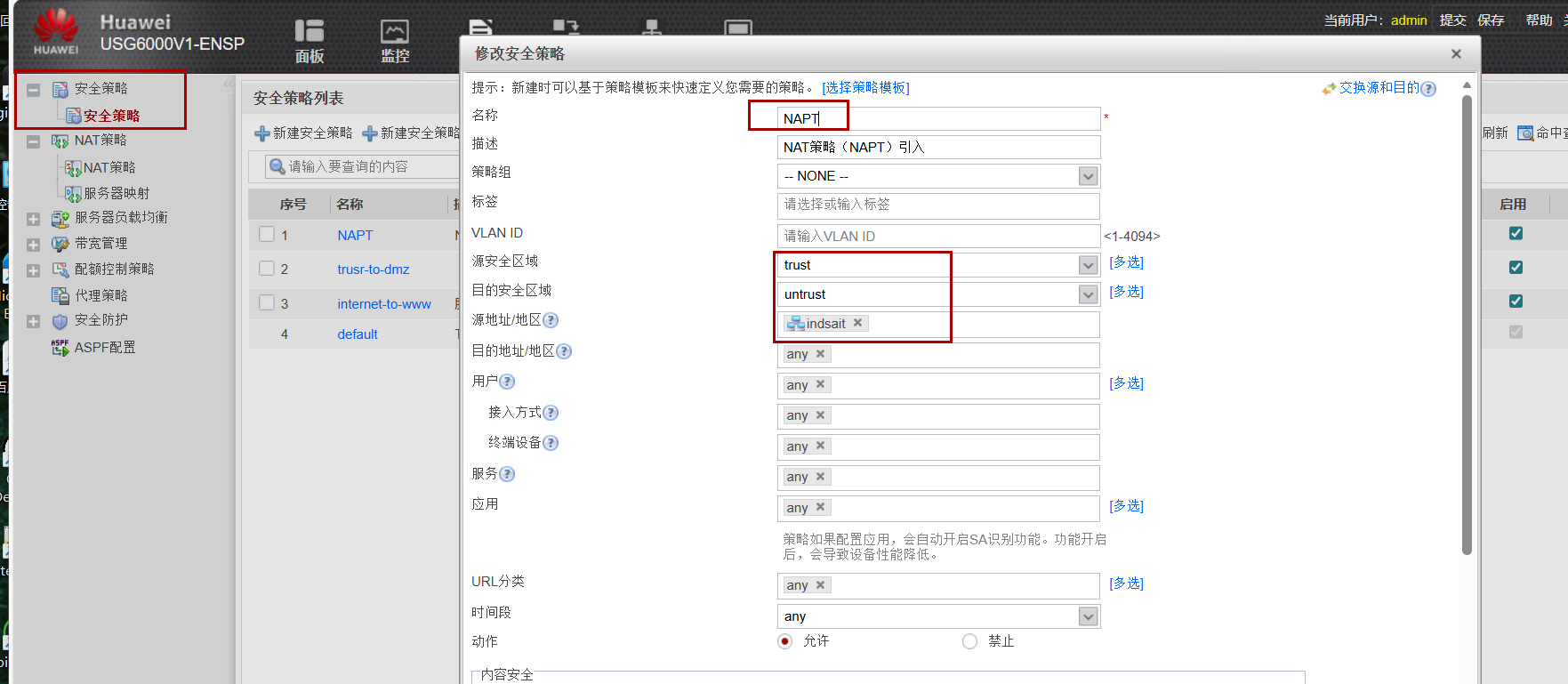
#vlan-接口-ip sys sysname CORE vlan batch 2 3 1000 interface Vlanif2 ip address 192.168.2.254 255.255.255.0 interface Vlanif3 ip address 192.168.3.254 255.255.255.0 interface Vlanif1000 ip address 192.168.254.2 255.255.255.252 q int g0/0/1 port link-t tr port tr al vl 2 3 int g0/0/2 port link-t tr port tr al vl 2 3 int g0/0/3 port link-t ac port de vlan 1000
sys
sys ACC1
vlan bat 2 3
int g0/0/1
port link-t tr
port tr al vl 2 3
int g0/0/2
port link-t ac
port de vlan 2
int g0/0/3
port link-t ac
port de vlan 3

sys
sys ACC2
vlan bat 2 3
int g0/0/1
port link-t tr
port tr al vl 2 3
int g0/0/2
port link-t ac
port de vlan 2
int g0/0/3
port link-t ac
port de vlan 3
ISP
1
2
3
4
5
6
sys
sys ISP
int g0/0/0
ip add 202.1.1.1 29
int g0/0/1
ip add 210.33.44.1 24
#需要先把防火墙的web开启了,通过web配置后面的
sys
sys FW
firewall zone trust
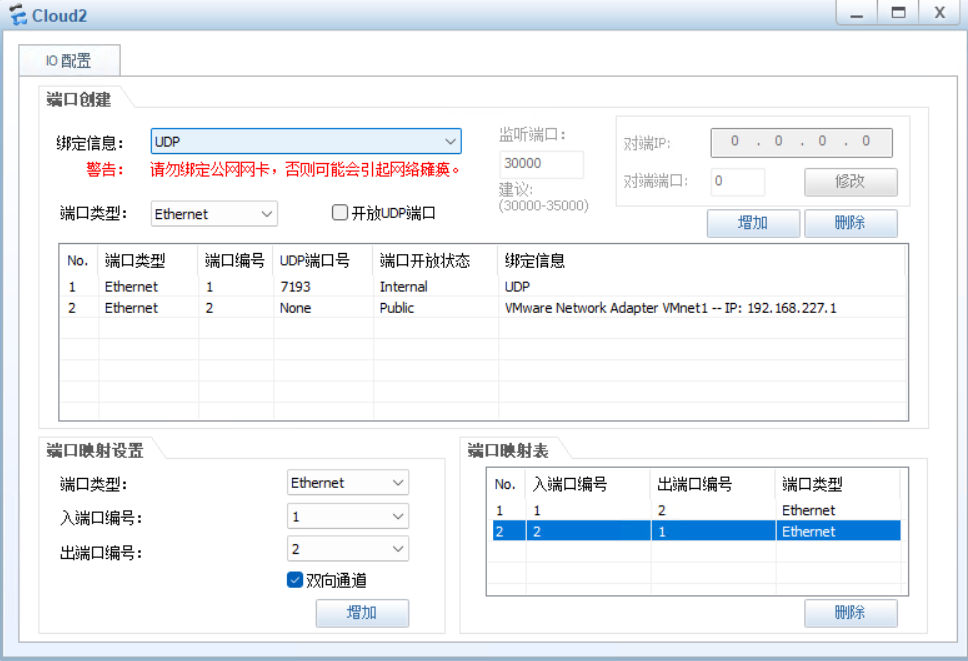
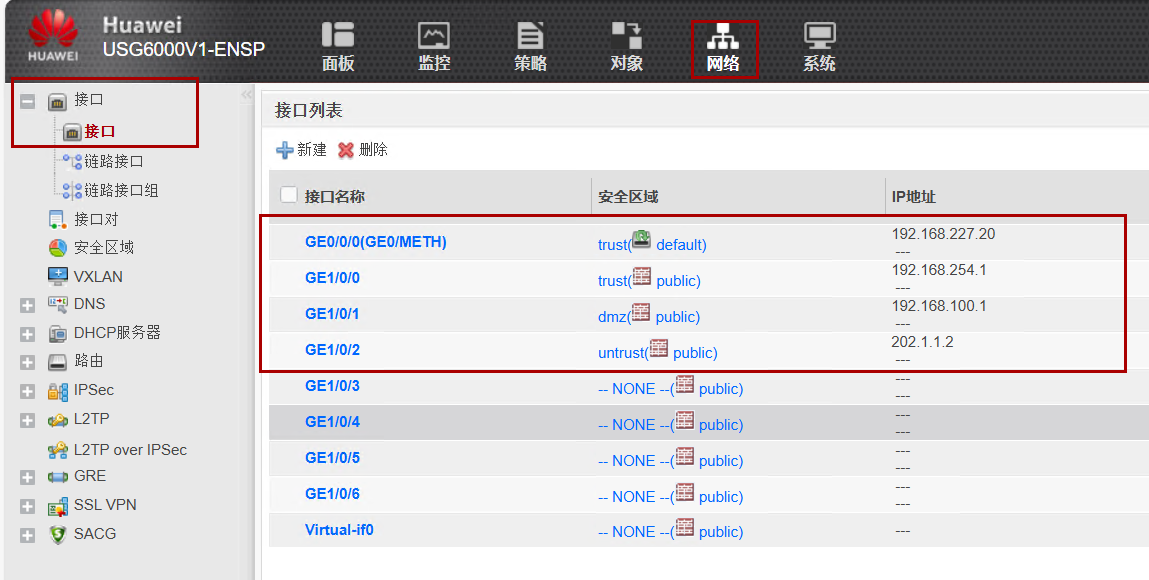
 add interface GigabitEthernet0/0/0
q
int g0/0/0
service-manage enable
service-manage http per
service-manage https per
service-manage ping per
ip add 192.168.227.20 24

#如果是真机还需要设置一个账号来供web登录
web-manager enable
web-manager security enable port 8443
aaa
 manager-user admin
 service-type web telnet ssh
 level 15
 password cipher Admin@1234